Users
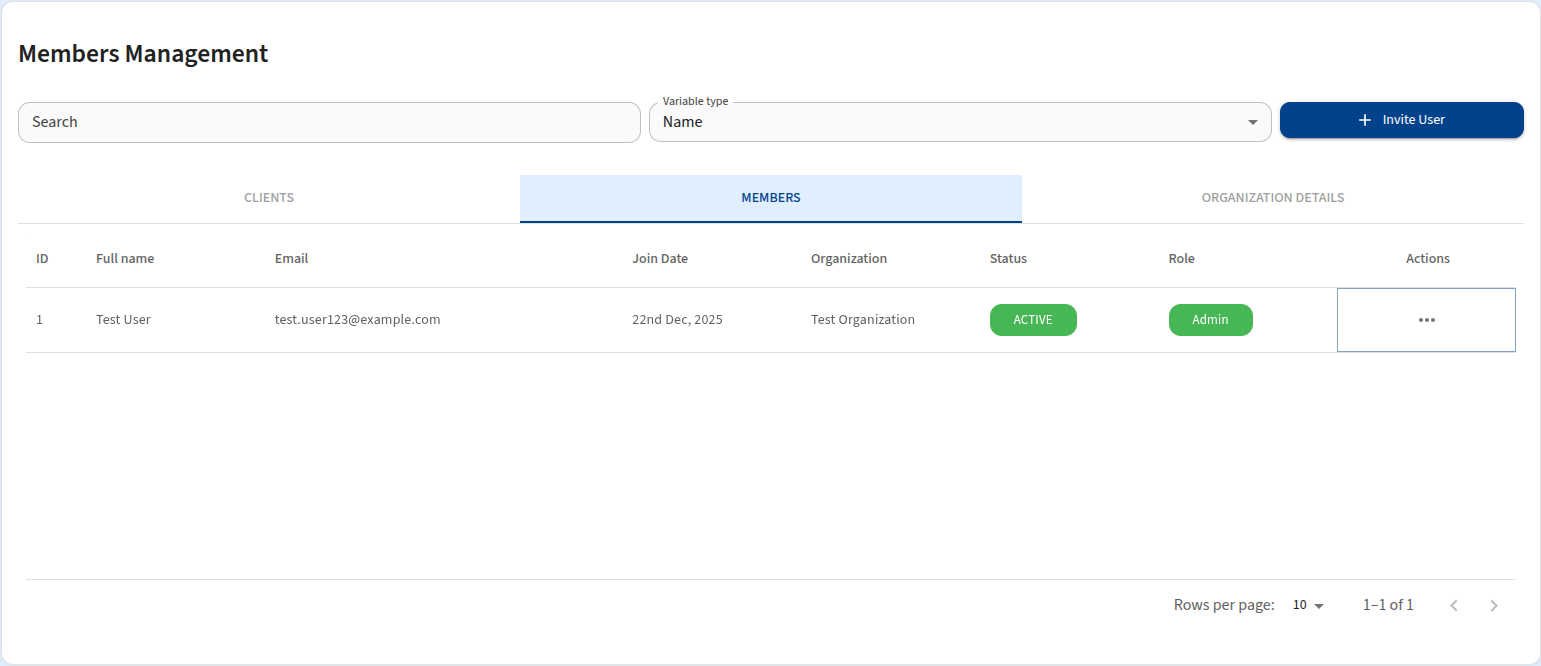
The Users section allows you to manage user access within an organization. User management is performed within the Members tab of an specific Organization's dashboard.
To access this section:
- Navigate to Admin Panel > Organizations.
- Select an organization and click VIEW DETAILS.
- Switch to the Members tab.
Inviting a User
To add a new user to an organization:
- Click the Invite User button.
- Enter the user's Email Address in the dialog box.
- Click send invite.
The user will receive an email with a verification link to complete their registration.
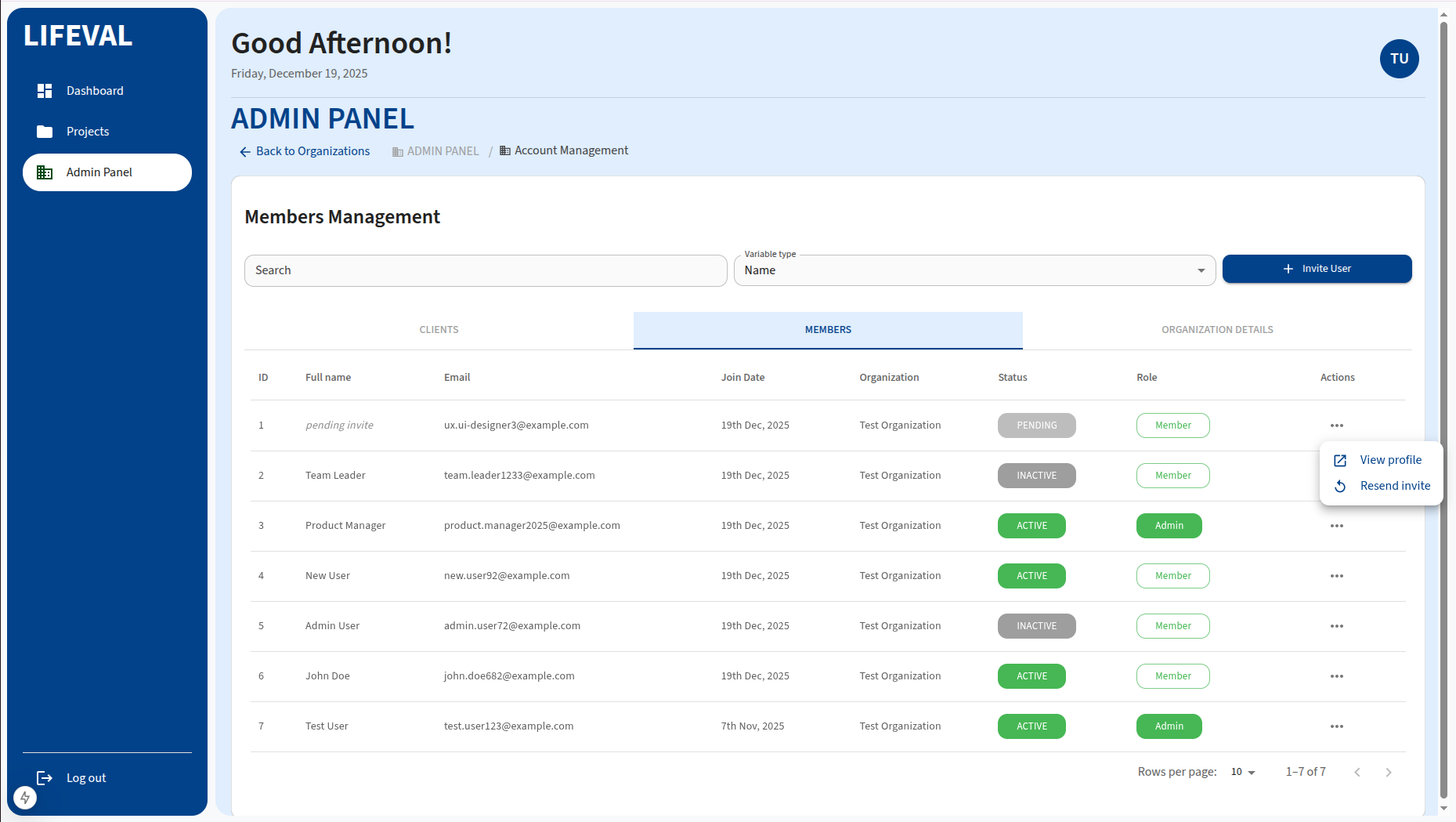
To Resend an invite, check that the satus is Pending for the particular email.
Click the three dots(...) on the actions tab and select Resend Invite
User Roles
Users can be assigned different roles which determine their permissions:
- Admin: Full access to organization settings and user management.
- User: Standard access to projects and calculations.
Click the three dots(...) on the actions tab and select View Profile
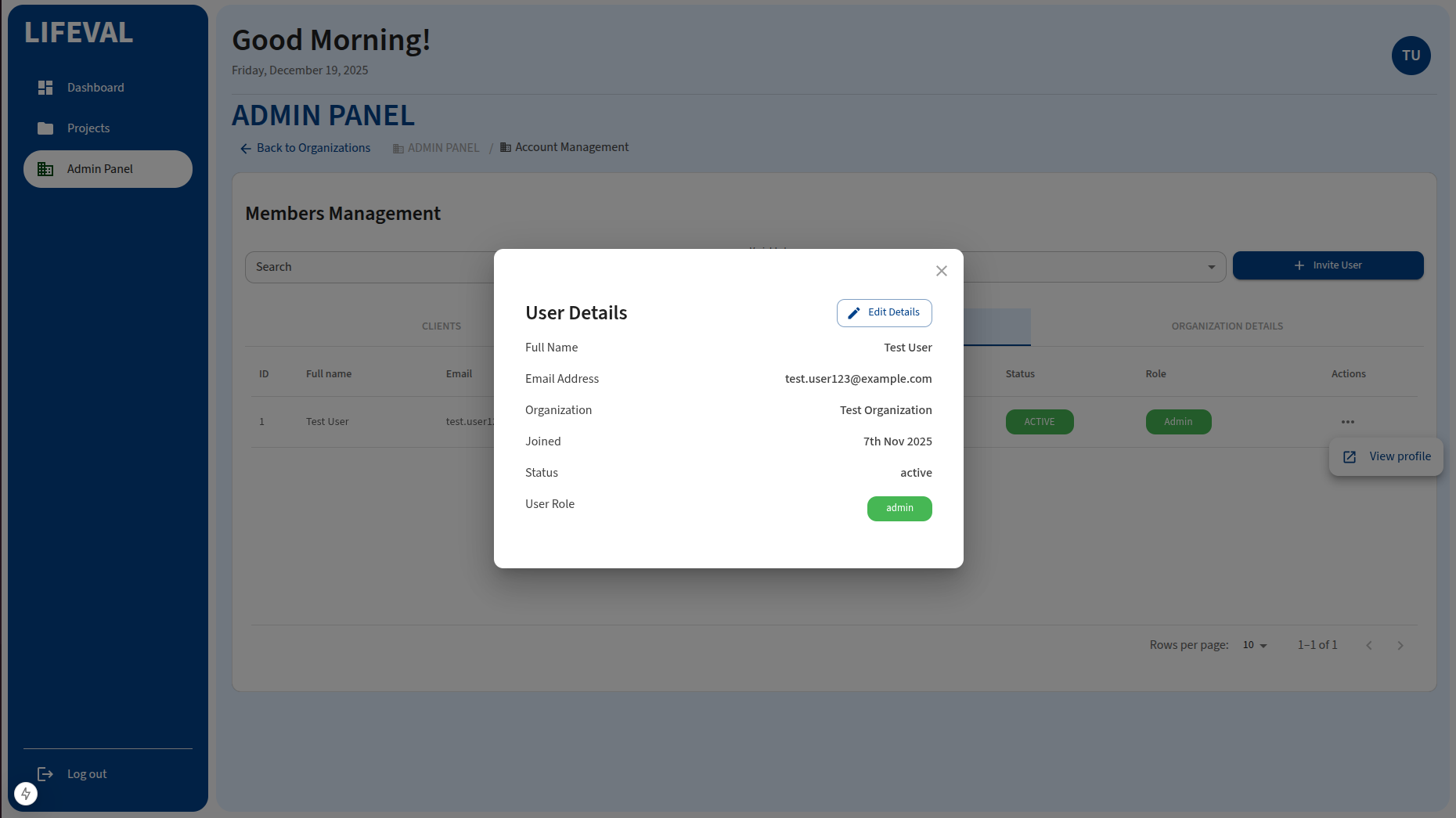
Click the Edit Details button to change user status.