Clients
The Clients page allows consultancies to manage the client organizations they serve.
Client management is performed within the Clients tab of an specific Organization's dashboard.
To access this section:
- Navigate to Admin Panel > Organizations.
- Select an organization and click VIEW DETAILS.
- Switch to the Clients tab.
Managing Clients
If your organization is a consultancy, you will see a list of client organizations.
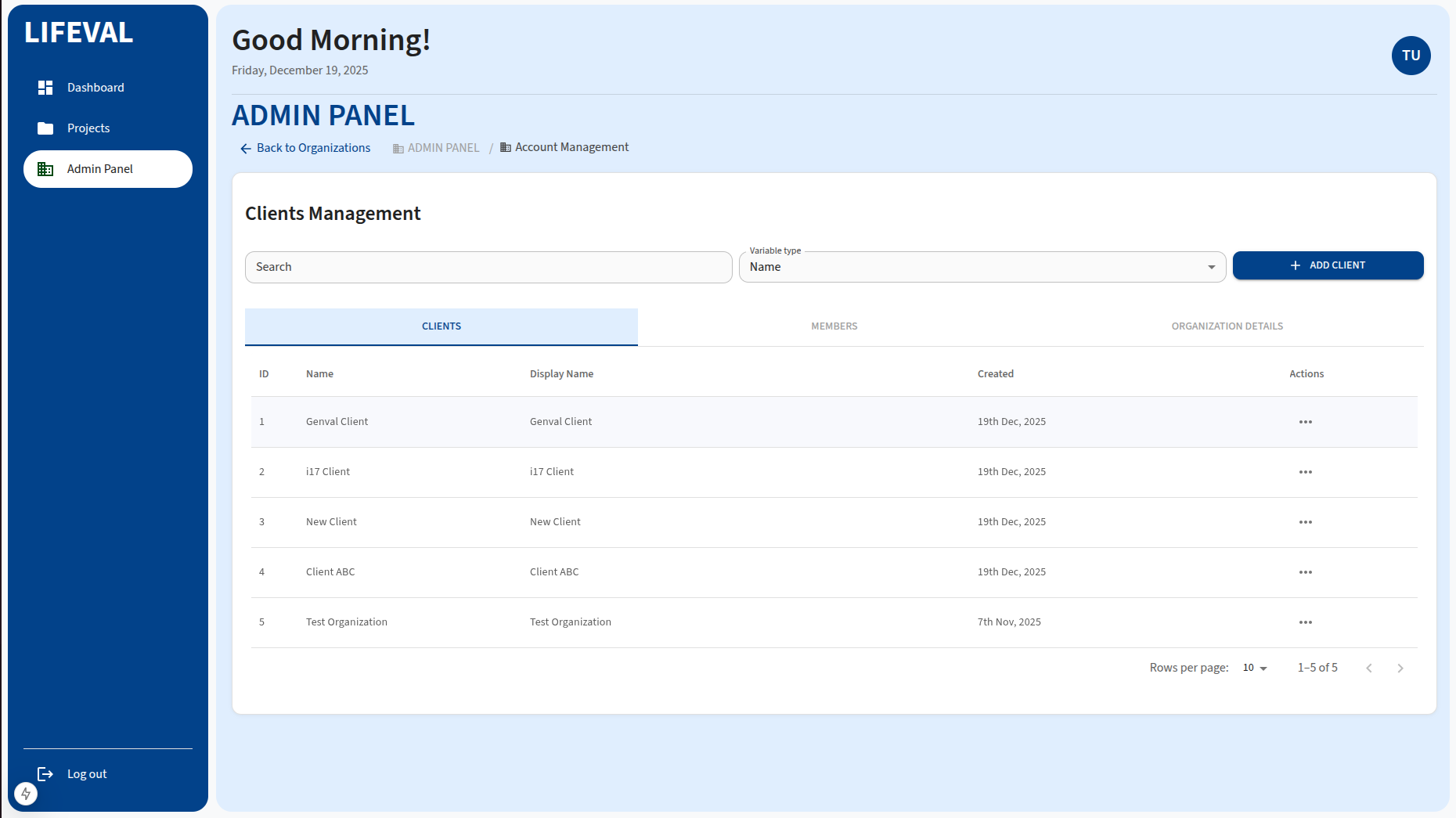
Adding a Client
- Click the ADD CLIENT button.
- Fill in the required details for the new client organization.
- Submit the form to register the client.
Searching for Clients
Use the search bar to find specific clients by name.
Editing and Deleting Clients
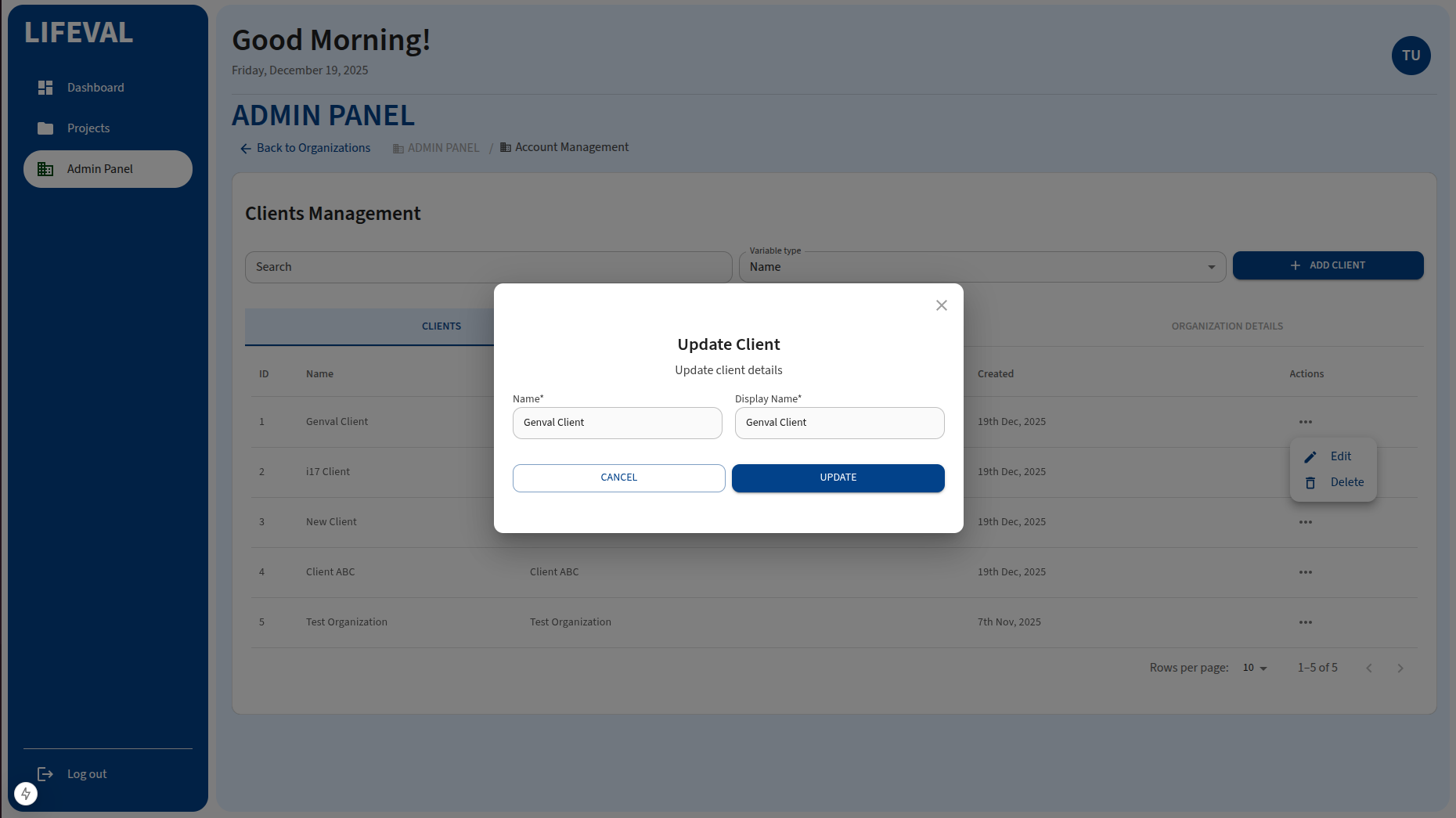
Click the actions column (...) on a given client to:
- Edit: Update the client's details.
- Delete: Remove the client from the system.
[!WARNING] DELETING A CLIENT WILL REMOVE ALL ASSOCIATED PROJECTS. Proceed with caution.