Actuarial Valuation
The Actuarial Valuation module is used for performing detailed valuation runs.
Accessing the Module
To access the Actuarial Valuation module:
- Navigate to the Projects page.
- Locate the specific project on 'All' tab, or filter by clicking 'Actuarial Valuations' tab.
- Click on the Launch icon (arrow) to open the specific Project Dashboard.
- Locate the Workspace card on the left side (Test, Production, Audit) and launch either of them.
- Select the specific Scenario or add a first scenario.
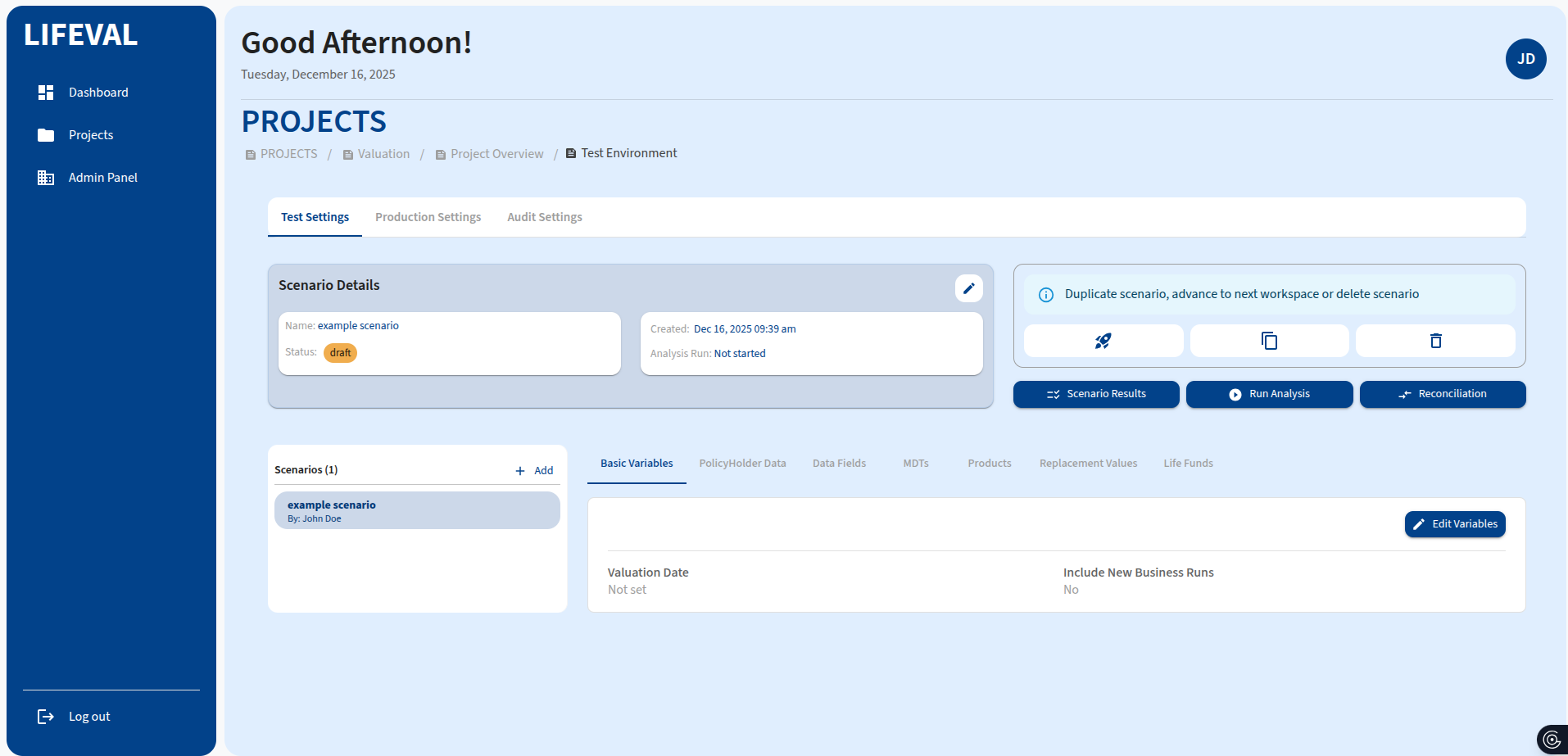
Settings Tabs
Once inside the module, you can configure your analysis using the following tabs:
Basic Variables
Configure global parameters for the valuation run.
- Valuation Date: The date as of which the valuation is performed.
- Include New Business Runs: Toggle whether to include new business in the valuation.
PolicyHolder Data
Upload and map your policy data.
- File Upload: Upload CSV or Excel files containing policy details.
- Mapping: Map columns in your file to system fields.
Data Fields
Define custom data fields required for your specific products and valuation logic.
MDTs (Multi-Decrement Tables)
Configure decrement rates and tables.
- Mortality Tables: Upload or select standard mortality tables.
- Lapse Rates: Define lapse rate assumptions.
Products
Define the products included in the valuation.
- Product Name: Name of the product.
- Product Type: Select the product type.
- Features: Configure specific product features.
Replacement Values
Set default values for missing data points to ensure continuity in calculations.
Life Funds
Configure the investment funds associated with unit-linked products.
Running Analysis
After configuring the settings:
- Click the Run Analysis button to execute the valuation run.
- Monitor the output in the Scenario Results tab.