5. Generating Run-off Triangles
This feature generates Insurer or reinsurer triangle whose numeric columns (developent periods) represent a triangle. Select the company type, whether Insurer or Re-insurer at the top left dropdown. You then click the Make Triangles tab on the sidebar. You will be directed to a page prompting for data upload:
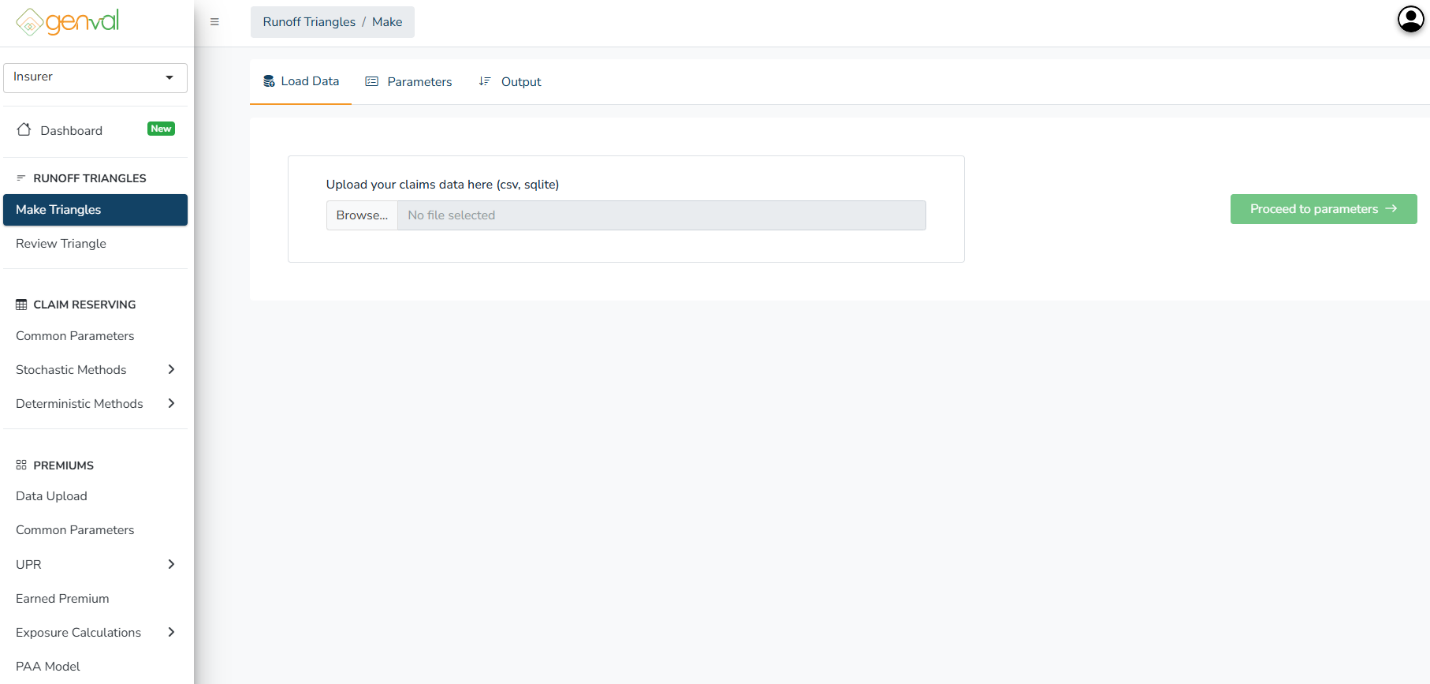
Click the Browse… button to select and upload your claims dataset file. Supported file formats:
- .csv – Comma-separated values file, commonly exported from Excel or database systems.
- .sqlite – SQLite database file containing claims data tables.
Ensure your data includes key fields such as:
- Accident/Origin Year
- Development Year or Period
- Claim Amounts (Paid, Incurred, or Reported)
The system uses this data to construct Runoff (Development) Triangles for analysis.
After selecting a file, its name appears beside the Browse button. Confirm that the correct file is chosen before proceeding.
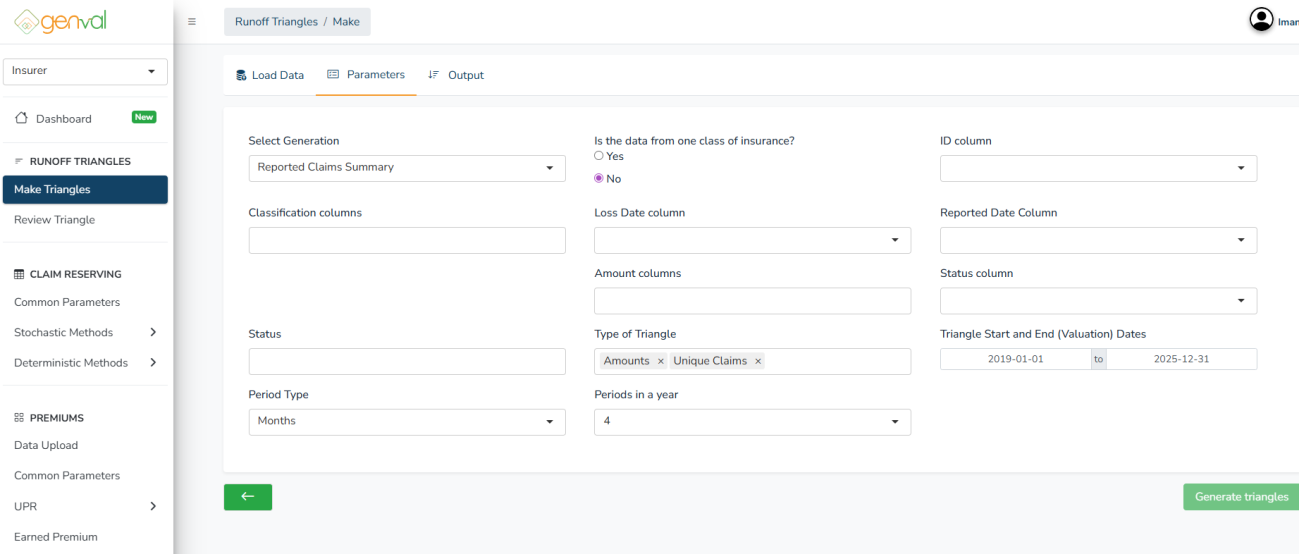
Once your file is successfully uploaded, click the “Proceed to parameters →” button.
Input Fields and Options
- Select Generation* - type of dataset to generate triangles from. Either Reported Claims Summary, Paid Claims Summary, or both.
- Is the data from one class of insurance?* - Yes for single class of business (e.g., Motor, Fire, or Medical). Select No if it includes multiple classes (classification columns will be required to separate data by class).
- Classification Columns - define data grouping, such as Class of Business
- ID Column* - unique identifier for each claim record, typically Claim Number or ID
- Loss Date Column* - the date of loss (when the insured event occurred).
- Reported Date Column* - Choose the column showing when each claim was reported to the insurer.
- Paid Date Column* - Choose the column showing when each claim was paid to the insurer.
- Amount Columns* - Specify the column(s) containing claim amounts,
- Status Column - the field indicating the current status of each claim
- Status (Filter) - specific claim status to filter the data (e.g., only Paid claims).
- Type of Triangle* - either Amounts, Unique Claims, or both
- Triangle Start and End (Valuation) Dates* - Define the date range for the triangle analysis.
- Period Type* - time interval for triangle development (fixed to months)
- Periods in a Year* - the number of development periods per year.
Click the Generate Triangles button to create the triangles based on the selected parameters. The system will process the data and direct you to the Output tab, where the resulting triangles can be reviewed and downloaded.
- amount_reported/paid-amounts – main triangle generated using claim amounts.
- amount_reported/paid-unique_claims_count – triangle generated using the unique claims count.
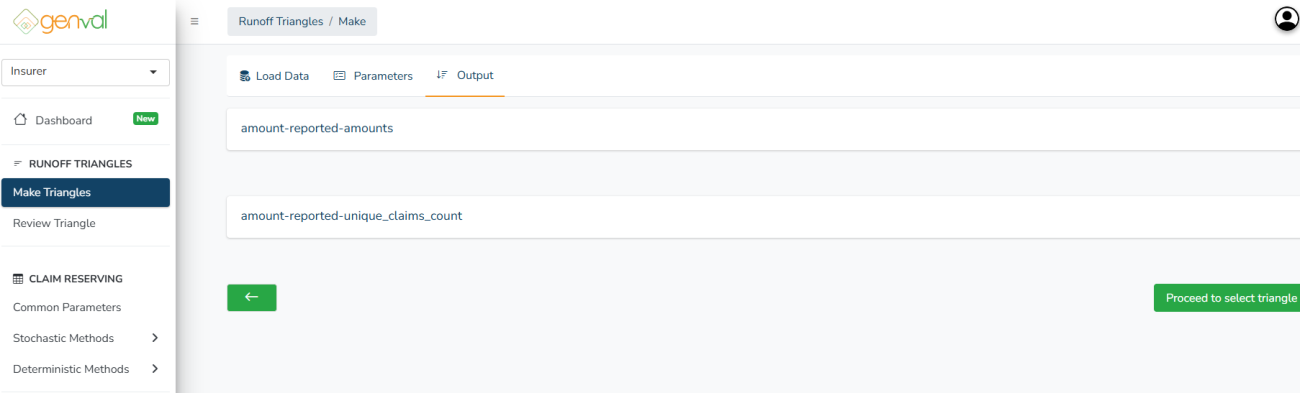
The generated triangle can be downloaded by clicking the Download button accessible when you expand(click + to expand) a triangle. You can choose to continue to the claim reserving section by clicking the Proceed to Reserving Section button.