4. Project Creation & Loading
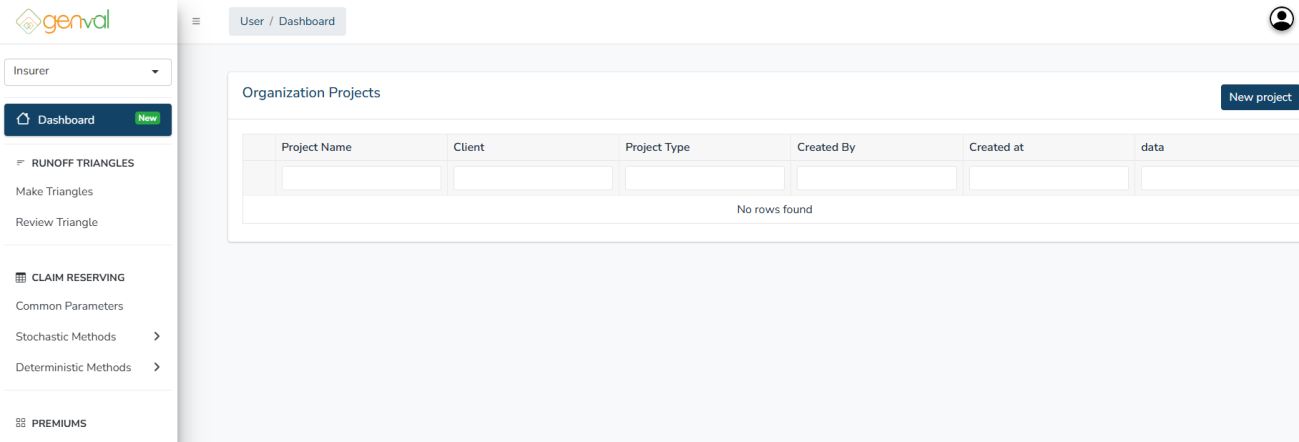
To create a project, click the New Project button on the Dashboard page.
The Create New Project form allows users to initiate a new actuarial valuation project for a client. You will be prompted to enter project details as shown.
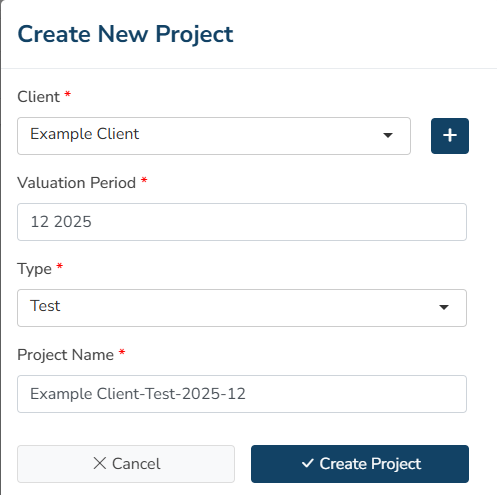
Client - Select the client from the dropdown list. If the client is not available, click the “+” button beside the dropdown to add a new client before proceeding. Each project must be associated with one registered client.
Valuation Period* - Enter the financial period for which the valuation is to be performed. Use the format MM YYYY (This period determines the reporting and actuarial reference timeframe).
Type* - Choose the project type from the dropdown list:
- Test – Used for trial or experimental valuations. Each client is limited to a maximum of 10 test projects. If the limit is reached, you must delete or complete an existing test project before creating a new one.
- Production – Used for official or finalized valuation projects intended for reporting.
Project Name* - Automatically generated based on the selected Client, Valuation Period, and Type. You may edit the project name if needed.
Click the Create Project button to create the project. For successful creation, you will receive a pop-up with the text “Project Created Successfully”.
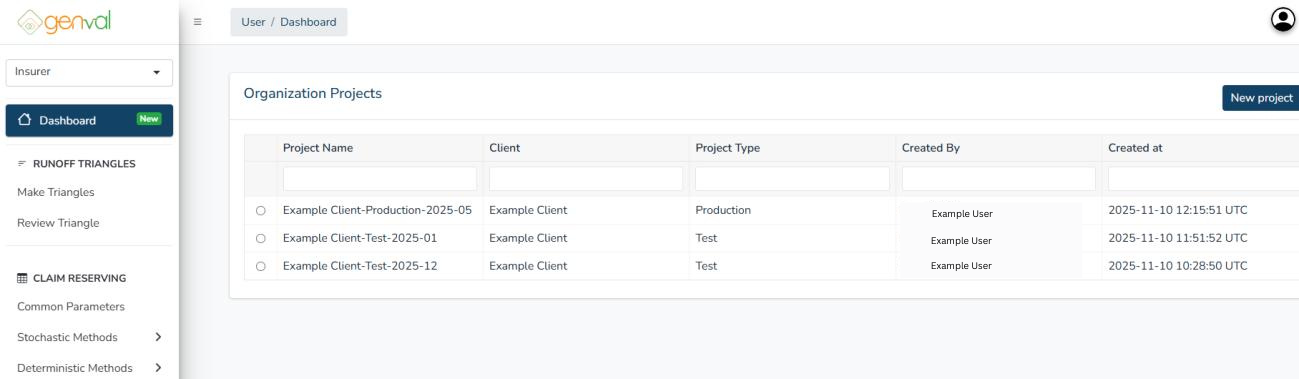
The project will appear in your company’s project list in the dashboard page.
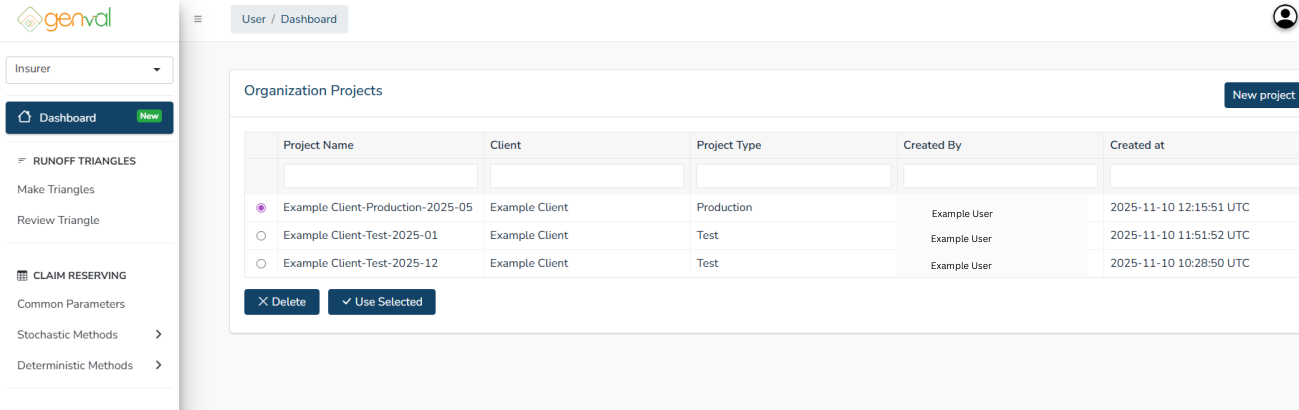
You need to load a project to be able to save and retrieve your project data, specifically the manual selected averages and loss ratios used. To load or delete a project, click on the desired project in the dashboard**,** then click the Use Selected button. You will get a pop-up with the message “Project Loaded Successfully”.
Once you have loaded a project, you can proceed to generate or upload triangle(s) or premium to be used in the claim reserving section.
To delete a project, click on the project and click the Delete button. Note that once a project is deleted, it cannot be retrieved.