3. Income Draw-down Calculation
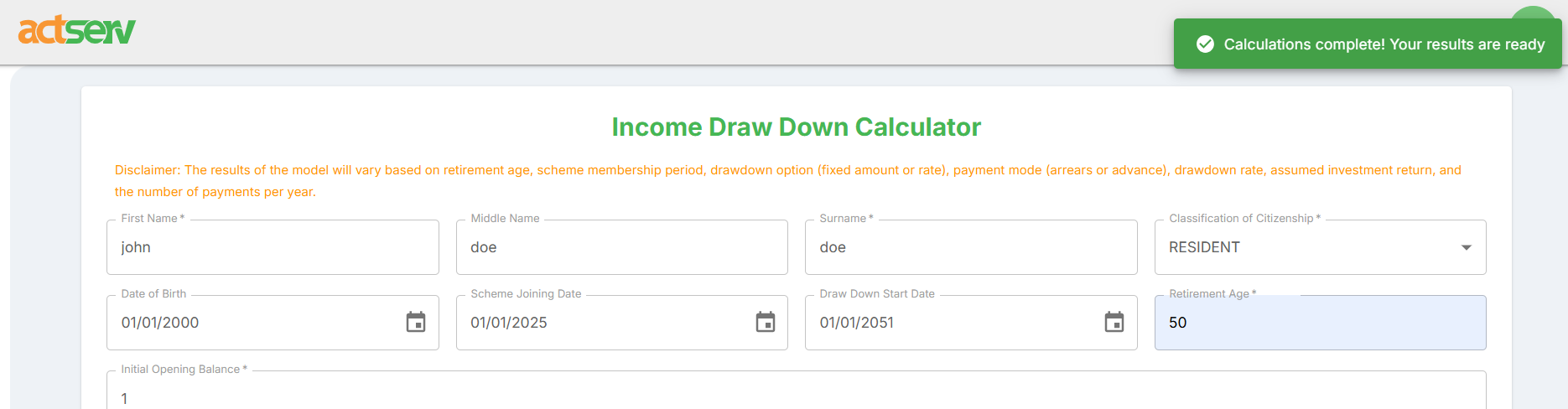
Once you access the income draw-down calculator, the following inputs are needed:
Personal Information
- First Name* – Enter the name of the person for whom the draw-down is being calculated.
- Middle Name – Optional; include if applicable.
- Surname* – Enter their surname.
- Classification of Citizenship* – Select the person’s citizenship category (e.g., Resident, Non-Resident).
Retirement & Membership Details
- Date of Birth* – Enter the person’s date of birth from the calendar.
- Scheme Joining Date – Enter date of joining the pension or income drawdown scheme (Must be at least 18 years after Date of Birth).
- Draw Down Start Date – Enter expected date to start receiving payments. (Must be after Scheme Joining Date)
- Retirement Age* – Enter the expected retirement age. (Must be less than or equal to the age at the Drawdown Date.)
Financial Inputs
- Initial Opening Balance* – Enter the total amount available for drawdown at the start. (Must be a positive number greater than 0)
- Payment Mode* – Choose whether payments are made in arrears (after each period) or in advance (at the start of each period).
- Drawdown Options* – Select how you want the withdrawals calculated (e.g., fixed amount or fixed rate).
- Drawdown Period* – Choose the total time period over which funds will be drawn (e.g., 10 years, 25 years).
- Assumed Investment Return* – Enter the expected annual return rate on the invested funds (in percentage).
- Draw Down Rate* – Specify the percentage of the balance you wish to withdraw each year (e.g., 5).
- Payments Per Year* – Choose the number of payment installments per year (e.g., monthly = 12, quarterly = 4, semi-annually = 2, annually = 1).
After filling the required inputs, click the “compute” button to run the calculation. In case of any validation errors, they will be visible below the respective input sections. Correct them and click “compute” button. After a successful draw-down calculation, you will receive a pop-up with the message “Calculations complete! Your results are ready”.
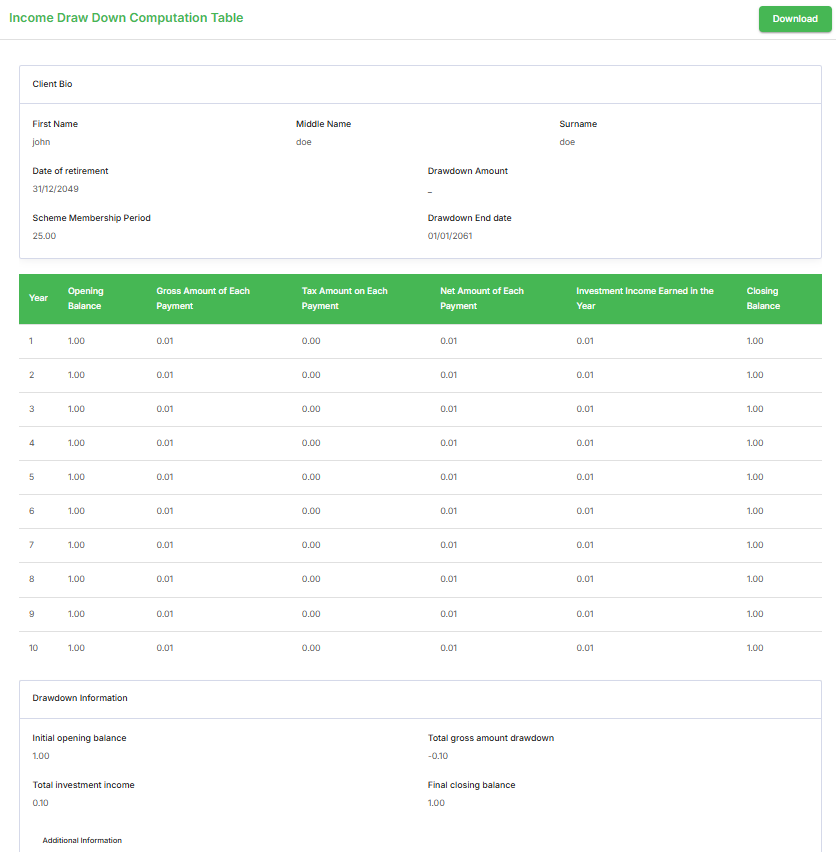
After a successful calculation, the Income Draw-Down Computation Table is displayed below the calculator tab. Click the download button to download a PDF copy of the calculated income draw-down results.